

Why Isn’t My Class Membership or Class Pack Showing
A client only sees a package at checkout when all of these are true. Work down the list.
1. The package is linked to that class. Go to Packages > Edit packages, select the pencil icon beside the package, and make sure the class is ticked under “Are all classes, services and video on demand included?”. A pack that covers your general classes will not show on a specialist class unless you add that class to it.
2. The package status is Available. A Hidden or Legacy package cannot be bought. Clients who already have it can keep using their credits, but nobody can buy it again. To sell it again, create it again as a new package with status Available, or add it to the client by hand from their profile.
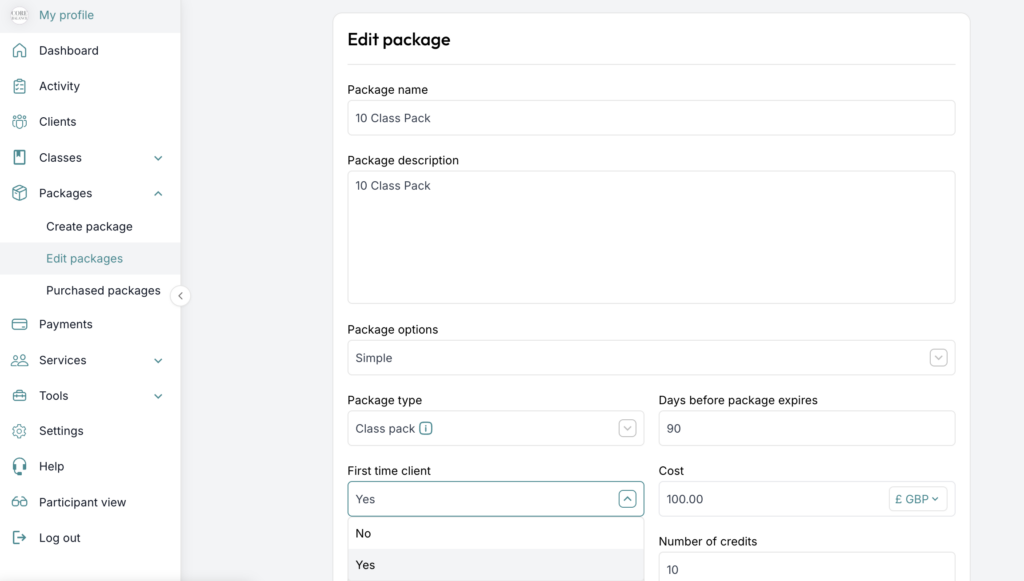
3. It is not first-time clients only. If “First time clients only” is ticked, a client who has booked any class before will not see it. This applies in the web app and in the mobile app. Edit the package and untick it.
4. The client does not already hold a recurring membership. By default a client can hold one recurring membership at a time. Turn on Settings > Class settings > Multiple recurring packages to allow more than one, or cancel the existing membership.
5. The client does not already have unused credits in that pack. They must use those first. To let them buy again, edit the package on their profile and remove the unused credits.
6. The package will not expire before the class date. A non-recurring pack with a short expiry is not offered for classes after its expiry.
Giving a package versus selling it. If you add a package from the client’s profile (Clients > name > Packages > Add package), the client is not charged. You are giving them credits. If you want them to pay, do not add it; they buy it at class checkout or from the Package tab on your calendar widget. See How clients purchase packages.
If you need any further help with this, please email [email protected].