

How to hide and show cancelled classes
When you cancel a class, you can hide it from your view. To do so, click on My Classes. Then go to Filter. Under Cancelled classes, click on the option Hide.
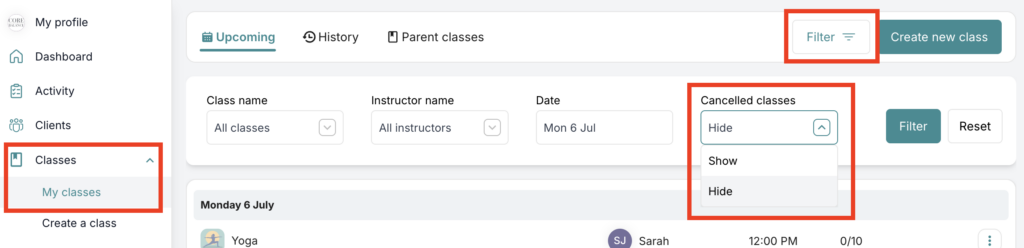
Then the page will reload and hide any cancelled classes.
To show the cancelled classes, choose Show.
If you need any further help with this, please email [email protected].