

How to add, edit and delete custom questions in the medical form
In this tutorial we will show you how to add custom questions to your medical form database. Please note, that you can customize the questions you ask on each class, so updating the questions here will only update your database, you will still need to edit each specific class, or set of classes to update which questions you want to ask on those classes. For more information on how to do this please see our separate tutorial here.
Adding custom questions
After logging into your ClassFit account, go to Tools on the left side menu, then click Intake Form (as below).
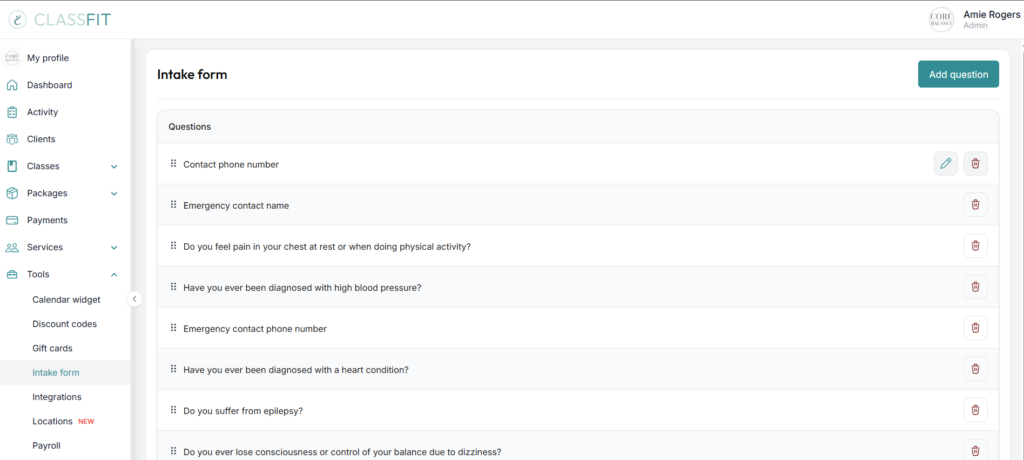
Once you are on the Intake Form page, click on Add Question.
Add your question and choose from the drop down the kind of answer that you will need for this question. Then click Add question.

Editing custom questions
Once you are on the Intake Form page, go to the question you would like to make changes to. Then click on the pencil icon, and make the appropriate changes.
Deleting custom questions
To delete custom questions in the medical form, go to the Intake Form page. Find the question that you would like to remove. Click the trash can icon. Please note you can’t do this for the phone number question as it will link to the contact profile page where we will add the answer.
If you need any further help with this, please email [email protected].