

How can I pay for a class I’ve joined?
When class organizers create a class, they choose between two payment options: paid online or paid on-site.
- Paid online: If your class is marked as paid online, you will need to pay for the class before you can register.
- Paid on-site: If your class is marked as paid on-site, you will need to arrange payment with your organizer outside of ClassFit.
How to Check the Payment Option
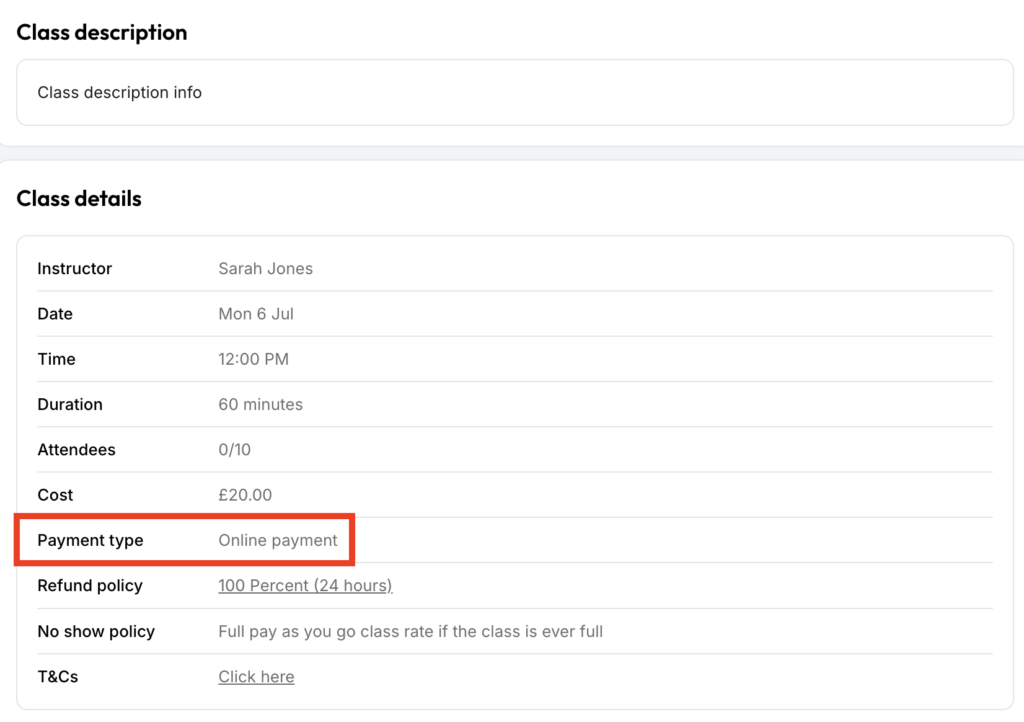
You can tell if a class is paid online or on-site by checking the class details page as shown below. Note that for ‘packages only’ payment, it is considered online.
Booking Via an Integrated Calendar
If you are booking via an integrated calendar, the payment details will be shown during checkout:

If the class is paid on-site, you will see a message like this:
“Please note that this class must be paid for on-site. You will not be charged now.”
If you need any further help with this, please email us at [email protected].