

How Can I View Medical / Intake Form Data for my Clients
To view a client’s medical or intake form data, select Clients from the left-hand menu and open the client’s profile.
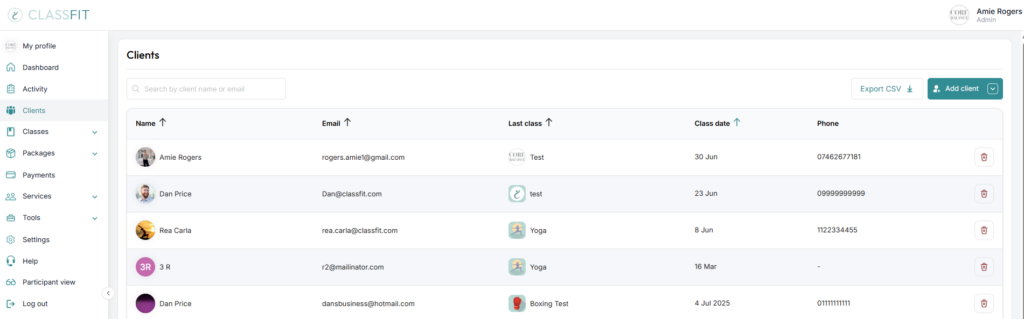
Select the client’s name, then open the Intake Form tab on their profile.

You will see the client’s most recently completed medical or intake form.
What can an instructor see?
Instructors see My Classes filtered to show only the classes they teach. They can open each class they teach and see the clients in it, including the intake form, how each client has paid and any notes on file. They can also remove people from the class, add people to the class and edit their classes.
This is all available in the web app at app.classfit.com, which is mobile-friendly. The ClassFit for Business mobile app does most of this, but has some limitations, so instructors may want to use the web app instead.
If you need any further help with this, please email [email protected].