

How to Add a Phone Number to Your Client’s Profile
ClassFit does not request a phone number during client registration. If you need to add a client’s contact number, you can enter it manually from their profile.
Go to their profile page
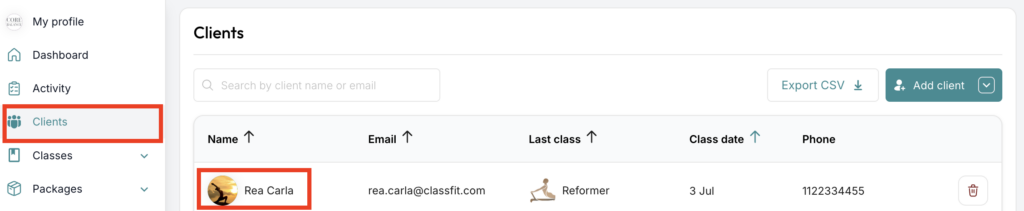
From the dashboard, select Clients from the left-hand menu, then select the client’s name.
Edit contact information
On the client’s profile, select the pen icon to edit their main contact information.

Click Save after entering the information.
Can a client hide their mobile number?
ClassFit does not ask clients for a mobile number. A studio can ask for one on the intake form, which is up to the studio. If it is your own studio number, you do not need to show it. You can add or edit it on your profile page, on the About tab.
Editing a client’s details
You can edit a client’s main information from their profile using the pen icon shown above. Clients can also update their own account details under Settings, then Account Settings.
If you need any further help with this, please email [email protected].