

How to Switch Between Organiser and Participant/Attendee views
Every ClassFit account has both an organiser and a participant view. The organiser view allows you to create and manage classes, while the participant view allows you to find and join classes.
Switching Views
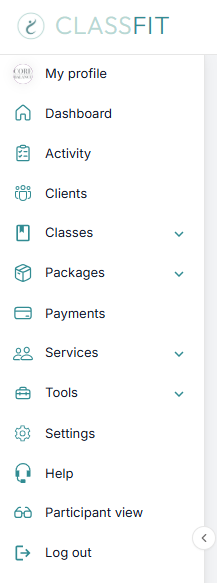
To switch to participant view: Once logged in to ClassFit, go to the left-hand menu and select Participant view.
To switch back to organiser view: Open the profile dropdown in the top-right corner, then select Switch to Studio View.

“We couldn’t switch you over”
This message usually appears when your browser has trouble switching between the two ClassFit views. Log out and back in, then clear your browser’s cache and cookies and refresh the page. If that does not work, please email us at [email protected].
If you need any further assistance with this, please email us at [email protected].