

How can I track my account and client activity?
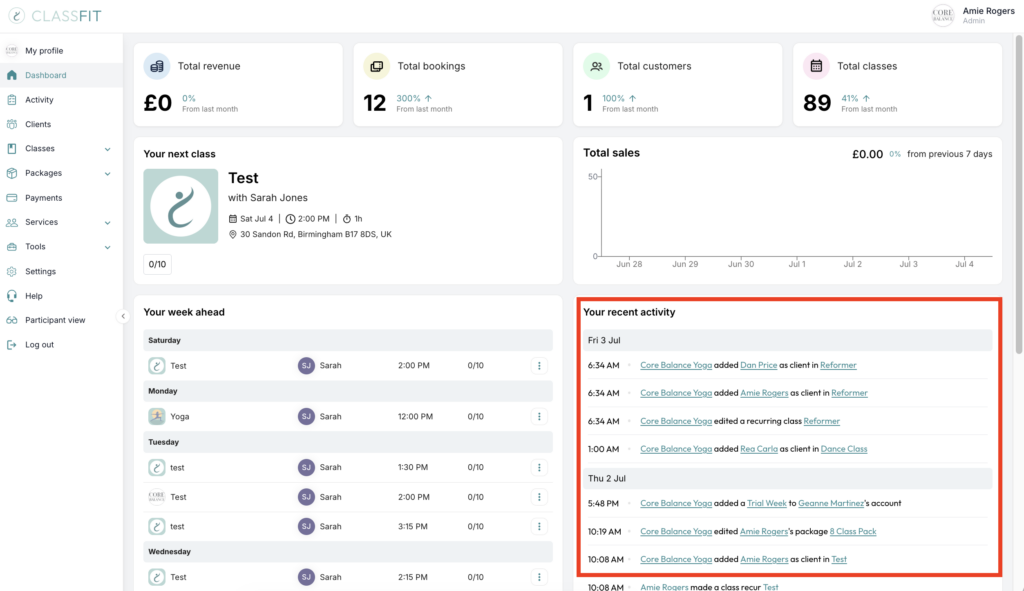
Every action that happens on your ClassFit account will be reflected in your Recent activity portion. This includes everything from creating classes, to when your clients register and drop out from classes, or when they buy a package.
You can see your most recent account actions on the lower right side of your main dashboard when you log in (as below).
Searching by client
On the ‘Activity’ page, you can type in a client’s name to filter the dashboard to just include their actions. You can also opt to search by all activity, client activity only, and admin activity only. You can also search for the specific class name or package.

If you need any further help with this, please email [email protected].