

Emailing Your Class
There may be times when you need to email your class, whether it’s to inform them of a location change, remind them to bring specific equipment, or address any last-minute details. With ClassFit, you can quickly and easily send an email to your entire class directly from your dashboard.
How to Email Your Class
Navigate to the Class Details Page
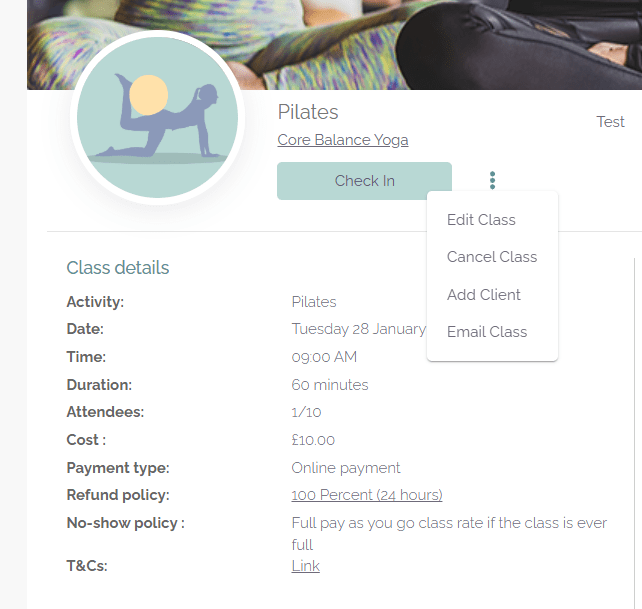
Go to the Class Details page of the specific class you want to email.
Access the Email Option
Click on the action button highlighted below and then select Email class.

ClassFit will send the email as if it were from you, including your name, logo, and brand colors. Any replies from your clients will go directly to your inbox.
Can I email just some of my clients?
You can email an entire class, as described above, or an individual client. You cannot currently email a custom selection of clients.
Text messages and information after a class
ClassFit does not currently support SMS. You also cannot automatically send information to clients after a class. We are adding email marketing and automatic email features in the near future that will let you do this.
If you have any questions or need further assistance, please contact us at [email protected].
Select Recipients
A pop-up window will appear, allowing you to choose who to email:
Compose and Send Your Email
After selecting the recipients, fill in the email title and message. Once you’re ready, click Send.