

How can I see which clients have booked into my classes
Log in. Your dashboard shows the week ahead. To find a class on another date, click the date in the calendar on the left. Click the class title.
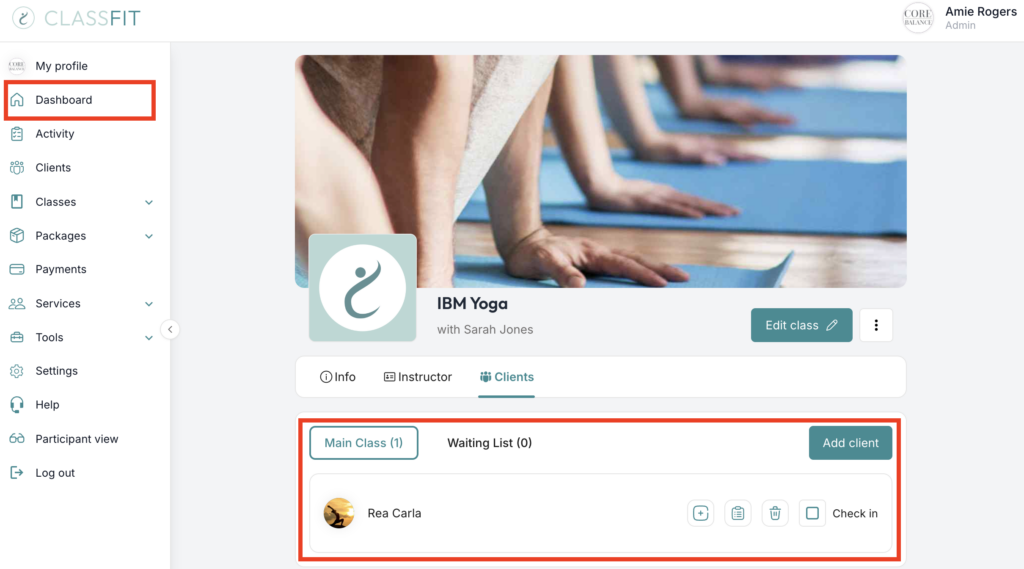
On the class page click the Clients tab. This lists everyone booked in, with check-in and waitlist status.
The dashboard also shows how many people are booked into each class in the next 7 days under Your week ahead, and your next class with a check-in shortcut on the left.
To print the list, see How to print a list of class attendees.
If you need any further help with this, please email [email protected].