

Setting up payroll
You can use our payroll feature to work out what you need to pay your team members. To access Payroll, on the left side menu, click on Tools, then Payroll.
Adding payroll rules
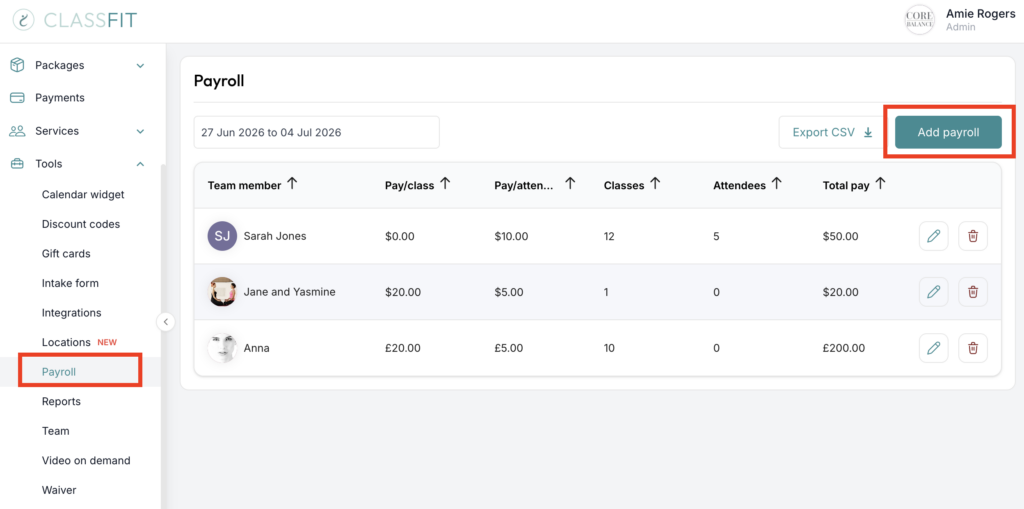
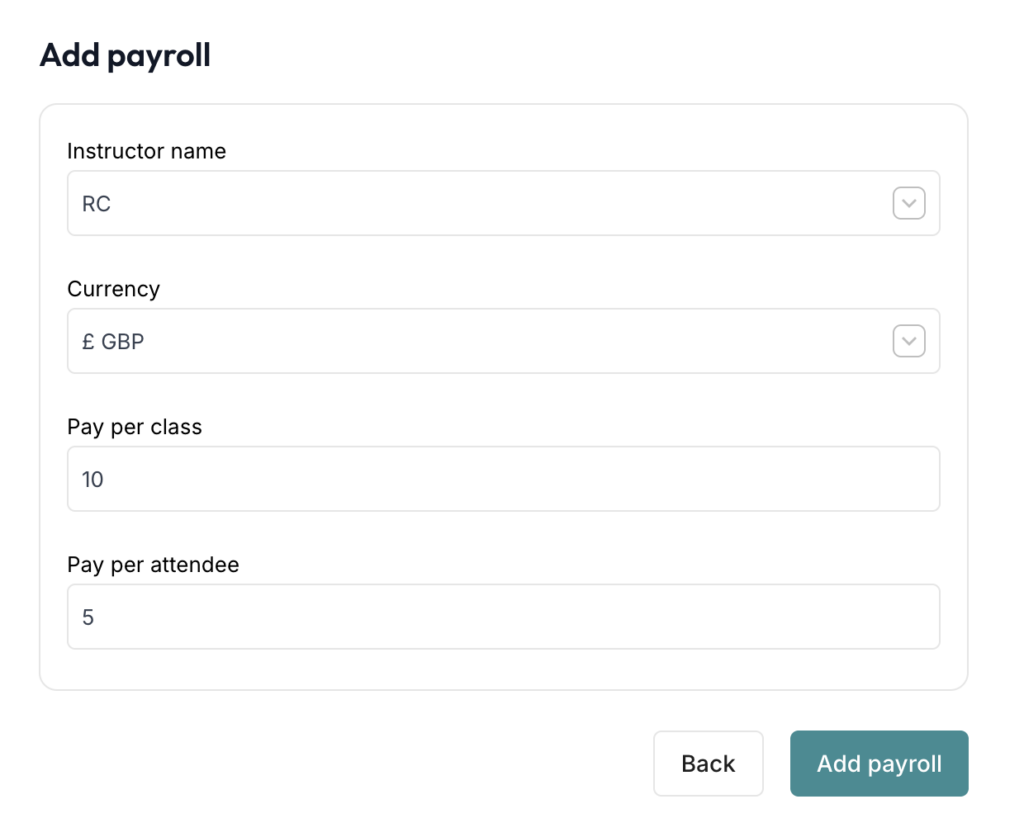
Once on the Payroll page, click Add Payroll. Once you’ve clicked on Add Payroll, you will see a popup where you can define the pay of each of your team members as below. Once complete please click Add payroll.
And if you would like to export a report you can do this by clicking Export CSV.
Can my team be paid directly from ClassFit?
No. ClassFit cannot pay your team members directly, and it cannot split a payment between you and them.
Everything your clients pay goes into your own Stripe account first, and Stripe pays it out to your bank account. You then pay your team yourself, in whatever way you normally do.
The Payroll tool is there to work out what each team member is owed, using the rules you set. It does not move money and it does not hold a balance for your team. Use Export CSV on the Payroll page to get the figures out for your own payroll or bookkeeping.
To check what has actually landed in your account, see How to get reports from Stripe and How long does it take to get paid.
If you need any further help with this, please email [email protected].