

How to create a Standing Reservation
Standing reservations are recurring memberships linked to particular classes, ideal for clients with fixed schedules. Know more about it as you continue reading here.
Creating standing reservations
This could be great if you have regular customers who always attend the same classes at the same times. Let’s say you have a client who always attends your class each Thursday at 6pm. They never miss a class and would much rather opt out when they can’t make it, rather than opt in every week. To help this client out you can create a recurring membership (as below) with creating a standing reservation:
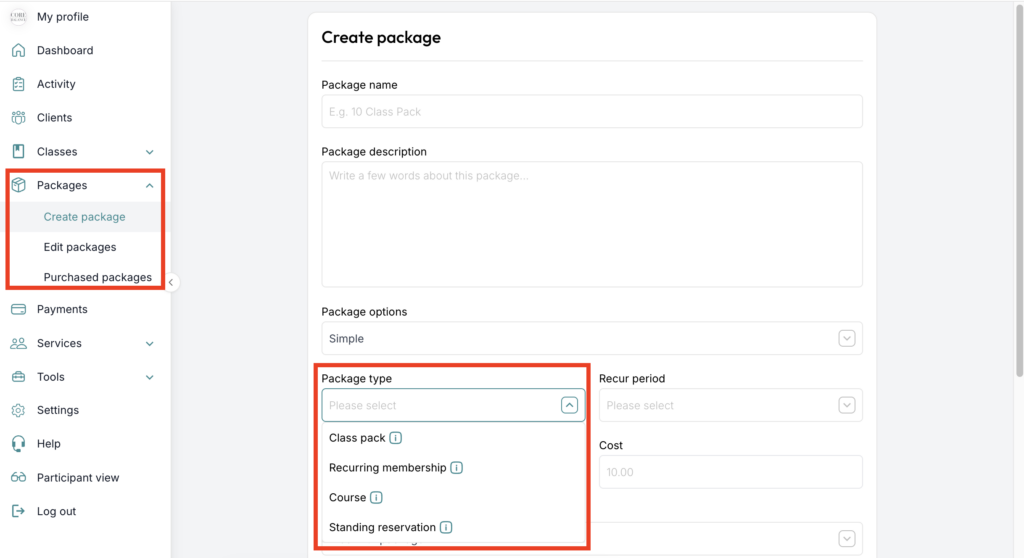
Make sure to link this package to only the class which your client will be attending, in this example, your class which is on Thursdays at 6pm. Once your client purchases this package, they will be automatically enrolled into all relevant classes as long as he has it.
If you need any further help with this, please email [email protected].