

How to add a client to an expired class
You can add clients who attended your classes, even after the class has finished.
First you will need to find the class in question. As this class is now in the past you can find it under Classes / My Classes. This class has already occurred, so in order to find it, go to My Classes then History.
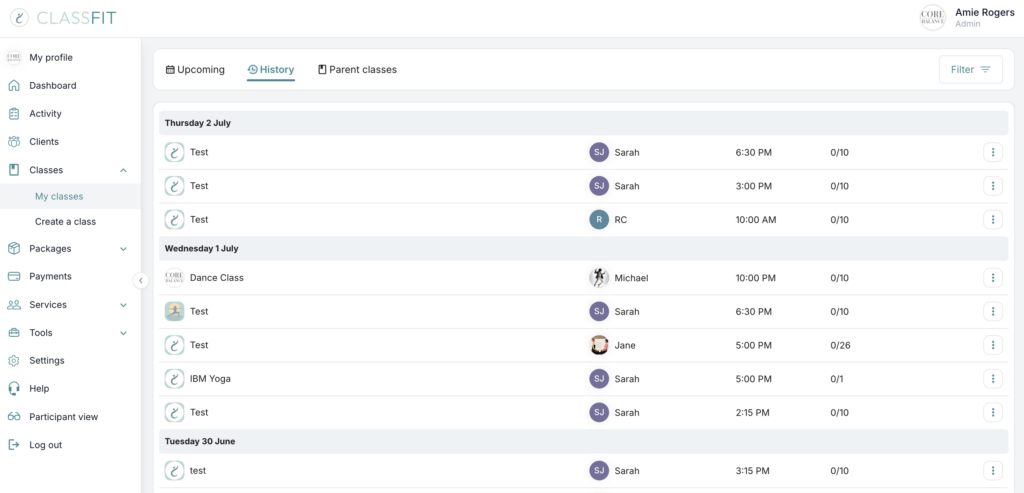
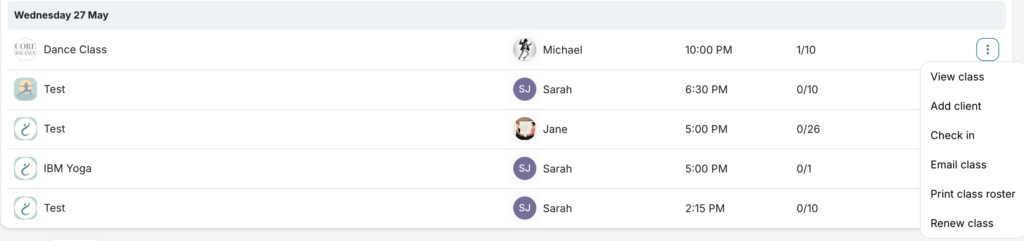
Then navigate to the expired class on the list and click on the three dots on the left side. One of the options there is Add client. Click on it.
A pop-up will appear for you to enter their first name, last name and email address. Then click Add.
If you need any further help with this, please email [email protected]