

Adding a video to your content library
ClassFit’s Video on demand (VOD) is a feature that enables fitness and wellness providers to offer pre-recorded classes to their clients. This functionality allows clients to access workout videos at their convenience, enhancing the flexibility and reach of your services.
Accessing Video on demand
Log in to ClassFit
To access the VOD feature, log in to your ClassFit admin account and navigate to the Tools section on the left side menu. Then click on Video on demand.
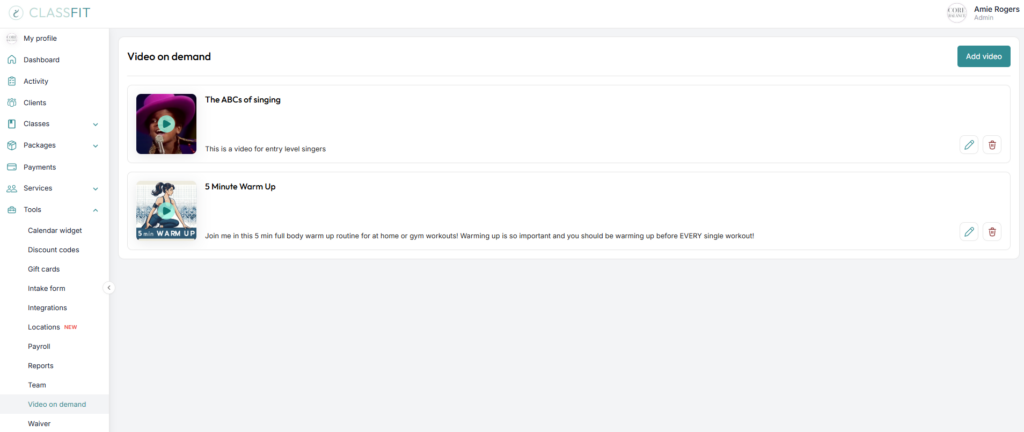
Add a New Video
Click on the Add video button.
Fill in the Details
- Video Name: Enter a descriptive title for your video.
- Video Thumbnail: Upload an image that represents the content of your video.
- Video URL: Paste the link to your video hosted on platforms like YouTube or Vimeo.
- Video Description: Provide a brief overview of what the video entails.
- Specify if the video is sold separately and set a price if applicable.
- Choose whether to include the video in all packages or select specific ones.
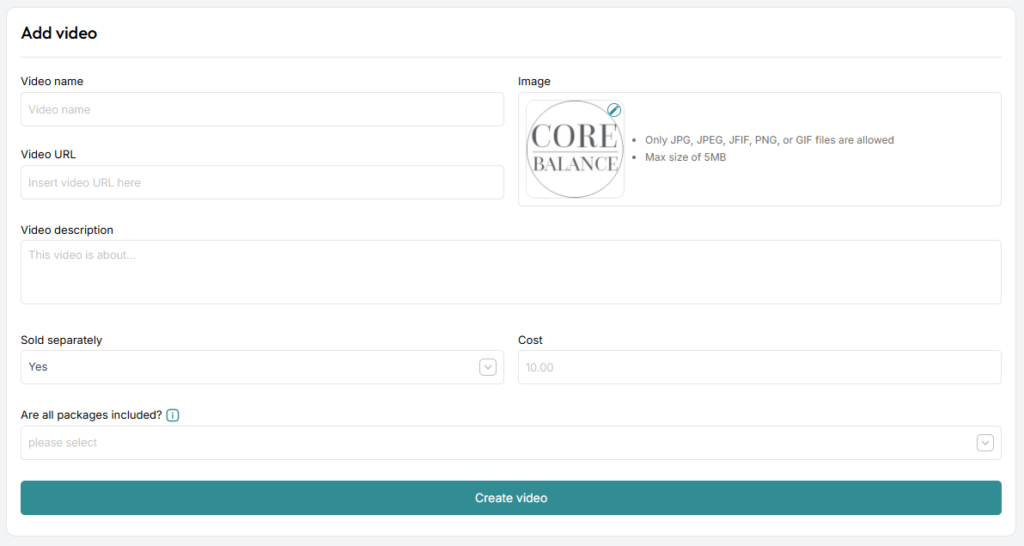
Once all details are filled out, click Add video to upload it to your VOD library.
Managing Your Content Library
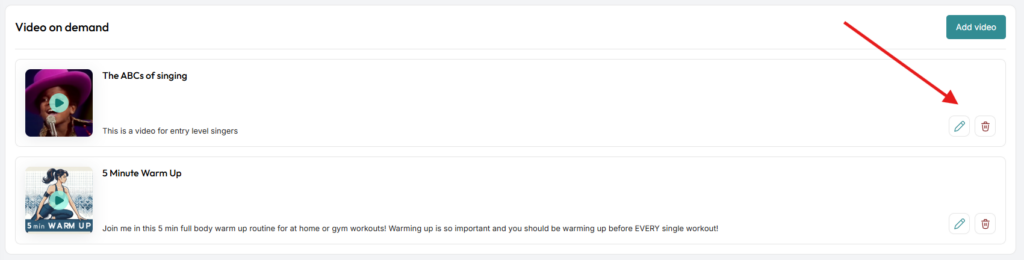
You can manage your VOD content through the Video on demand page by clicking on the pencil icon to Edit or the trash can icon to Remove on each video.
If you need any further assistance with this, please email us at [email protected].